---
title: "Conditions"
slug: "conditions-1"
tags: ["Conditions", "IF Conditions", "If else"]
updated: 2025-12-23T11:54:23Z
published: 2025-12-23T11:58:53Z
canonical: "help.symphonysummitai.com/conditions-1"
---
> ## Documentation Index
> Fetch the complete documentation index at: https://help.symphonysummitai.com/llms.txt
> Use this file to discover all available pages before exploring further.
# Conditions
In Integration Hub recipes, **IF** conditions are created by defining three key components:
- **Data Field**: The variable data from your app (For example, case status or lead rating).
- **Condition**: The comparison operator used to evaluate the data field.
- **Value**: The static value being checked against (For example, Closed or Hot).
> [!NOTE]
> Note
>
> Data fields and Values are case-sensitive
This section describes fourteen available conditions, using trigger conditions as examples. Multiple conditions are combined using AND or OR operators to create complex logic.
Each condition is designed for specific data types, and using an incompatible data type may prevent the recipe from functioning correctly.
If an invalid **IF** condition is set for triggers, the Recipe may:
- Generate a trigger error at startup, preventing it from capturing trigger events.
- Filter out all trigger events, causing the recipe to miss expected inputs.
### Where conditions can be used
Using Conditions to Refine Your workflow:
You can apply conditions in the following features to enhance your workflow:
- **IF Control Statements** – Define conditions within IF statements to execute specific steps or actions based on your data.
- **While Loop** – Set conditions in a Repeat While loop to continue executing actions until a specified condition is met.
- **Trigger Conditions** – Use conditions to filter trigger events, ensuring that only relevant events are processed by the recipe.
#### Contains
The **Contains** condition checks whether a data field includes a specified value within a sequence of conditional checks. This is useful for routing or processing data based on the presence of specific content. It is the inverse of the **Doesn't Contain** condition and is **case-sensitive**. If a case-insensitive comparison is needed, you can adjust the case of both the data and value accordingly.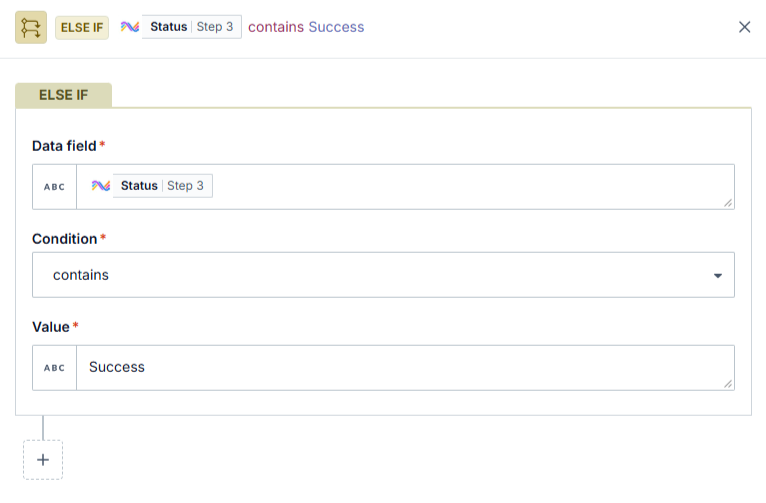
Figure: Else if
#### Compatible data types
This condition is compatible with array and string data types.
| Data field | Condition / value | Picked up by recipe? |
| --- | --- | --- |
| `UI bug` | `contains` "bug" | Yes |
| `UI BUG` | `contains` "bug" | No |
| `Instructions unclear` | `contains` "bug" | No |
| "" | `contains` "bug" | No |
| `nil` | `contains` "bug" | No |
| `12345` | `contains` 123 | No |
| `[1, 2, 3]` | `contains` 1 | Yes |
| `[1, 2, 3]` | `contains` [1, 3] | No |
| `["abc", "pqr", "xyz"]` | `contains` "abc" | Yes |
| `["abc", "pqr", "xyz"]` | `contains` ["abc", "pqr"] | No |
#### Starts with
The **Starts With** condition checks whether a data field string begins with a specified value in a sequence of conditions. It is the opposite of the **Doesn’t Start With** condition and is case-sensitive. To ensure accurate comparisons, make sure that both the data and the specified value are in the same case (either all uppercase or all lowercase).
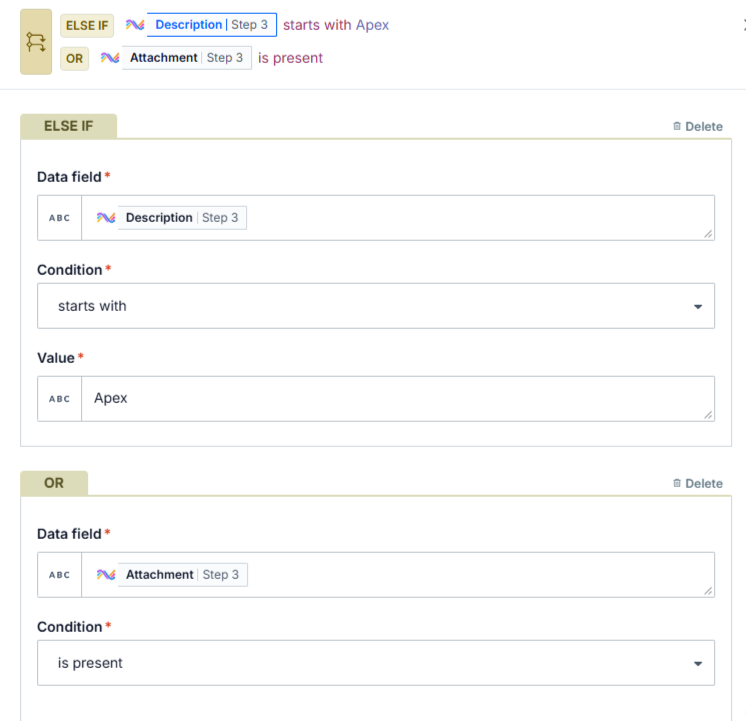
Figure: Else if and OR
The **Starts With** condition only match exact strings and does not detect null values.
#### Compatible data types
This condition is applicable only to string data types.
**Examples**
| **Data field** | **Condition/value** | **Picked up by recipe?** |
| --- | --- | --- |
| `(408) 555-6928` | `starts with` "(408)" | Yes |
| `408 555-6928` | `starts with` "(408)" | No |
| `(650) 555-2395` | `starts with` "(408)" | No |
| "" | `starts with` "(408)" | No |
| `nil` | `starts with` "(408)" | No |
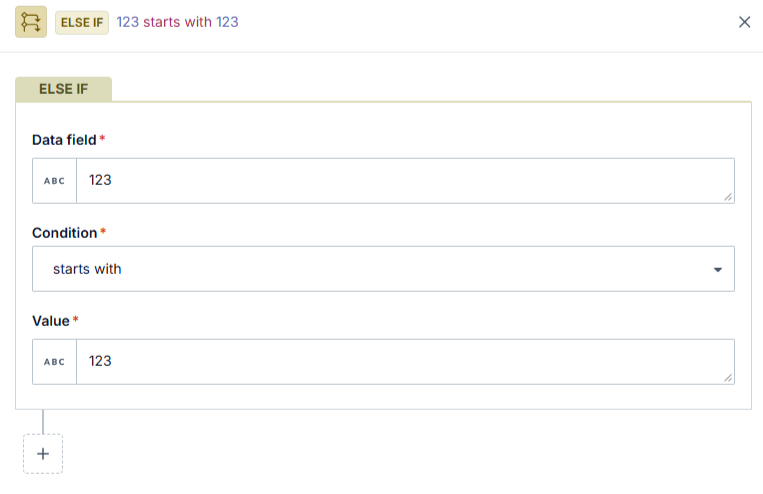
| `12345` | `starts with` 123 | Trigger error thrown |
| `<kbd>numeric_type_pill</kbd>` | `starts with` 123 | Trigger error thrown |
| `<kbd>numeric_type_pill</kbd>` | `starts with` "123" | Yes #if pill = 12345 |
#### Special non-string data type cases
To prevent trigger errors, avoid using the "starts with" condition to compare non-string data types. For instance, directly comparing two numeric values will result in an error.
#### ends with
The **ends with** condition checks whether a data field concludes with a specified value. It is the opposite of the **doesn't end with** condition and is case-sensitive. To ensure accurate comparisons, confirm that both the data and the specified value are in the same case (either uppercase or lowercase).
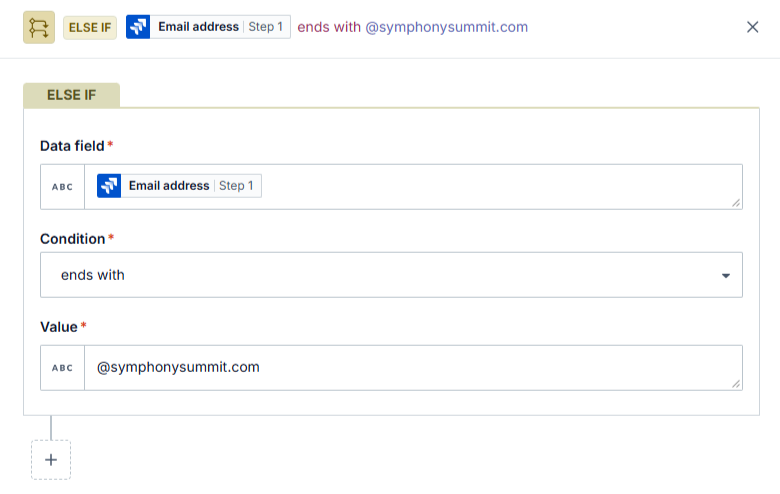
Figure: Else IF
If the specified field in your condition is empty in the application you’re using, no event will be captured.
#### Compatible data types
This condition is applicable only to string data types.
**Examples**
| Data field | Condition/value | Picked up by recipe? |
| --- | --- | --- |
| `(408) 555-6928` | `ends with` "6928" | Yes |
| `408 555-6928` | `ends with` "(6928)" | No |
| `(650) 555-2395` | `ends with` "6928" | No |
| "" | `ends with` "6928" | No |
| `nil` | `ends with` "6928" | No |
| `12345` | `ends with` 345 | Trigger error thrown |
| `<kbd>numeric_type_pill</kbd>` | `ends with` 345 | Trigger error thrown |
| `<kbd>numeric_type_pill</kbd>` | `ends with` "345" | Yes #if pill = 12345 |
| `<kbd>numeric_type_pill</kbd>` | `ends with` "345" | No #if pill = 123 |
#### Special non-string data type cases
To prevent trigger errors, avoid using the "ends with" condition to compare non-string data types. For instance, directly comparing two numeric values will result in an error.
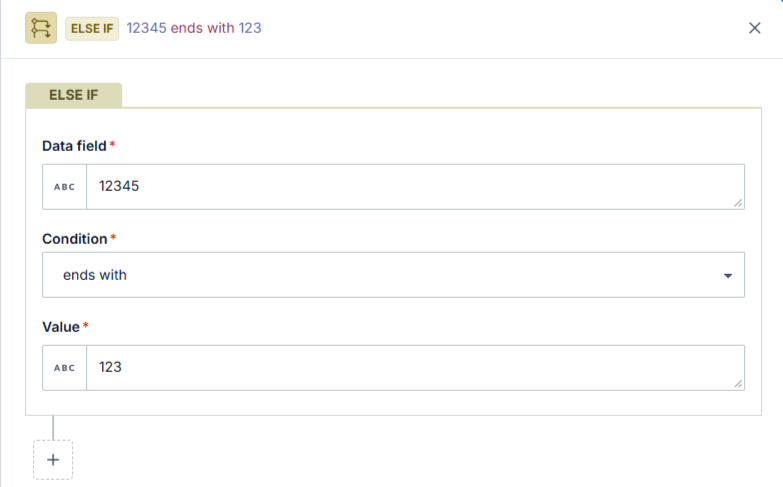
Figure: ends with
#### does not contain
The **does not contain c**ondition enables actions to be triggered when specific values are missing from data fields. It is the opposite of the **contains** condition and is case-sensitive. Ensure both the data and the specified value match in case (either all lowercase or all uppercase) for accurate comparisons.
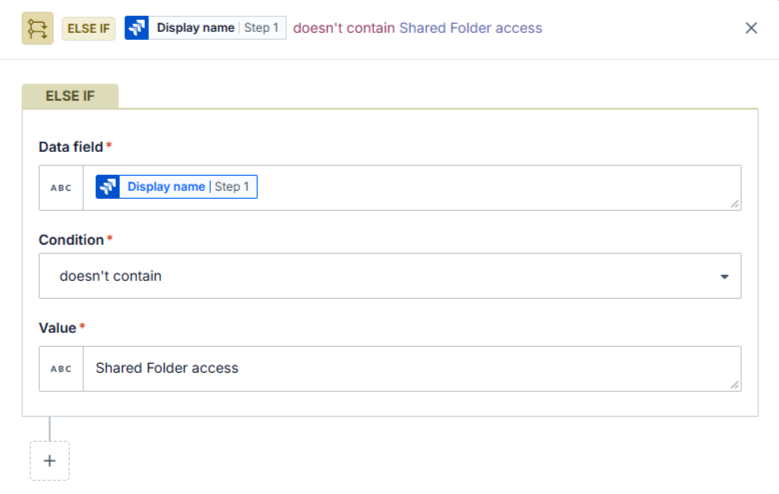
Figure: does not contain Shared Folder access
#### Compatible data types
This condition is compatible only with string and array data types.
**Examples**
| Data field | Condition/value | Picked up by recipe? |
| --- | --- | --- |
| `UI bug` | `doesn't contain` "bug" | No |
| `UI BUG` | `doesn't contain` "bug" | Yes |
| `Instructions unclear` | `doesn't contain` "bug" | Yes |
| "" | `doesn't contain` "bug" | Yes |
| `nil` | `doesn't contain` "bug" | No |
| `12345` | `doesn't contain` 123 | No |
| `[1, 2, 3]` | `doesn't contain` 1 | No |
| `[1, 2, 3]` | `doesn't contain` [1, 3] | Yes |
| `["abc", "pqr", "xyz"]` | `doesn't contain` "abc" | No |
| `["abc", "pqr", "xyz"]` | `doesn't contain` ["abc", "pqr"] | Yes |
#### does not start with
The **does not start with** condition enables actions when a data field does not begin with a specified sequence. It is the opposite of the starts with condition and is case-sensitive. Ensure both the data and the value are in the same case (either all lowercase or all uppercase) for accurate comparisons.
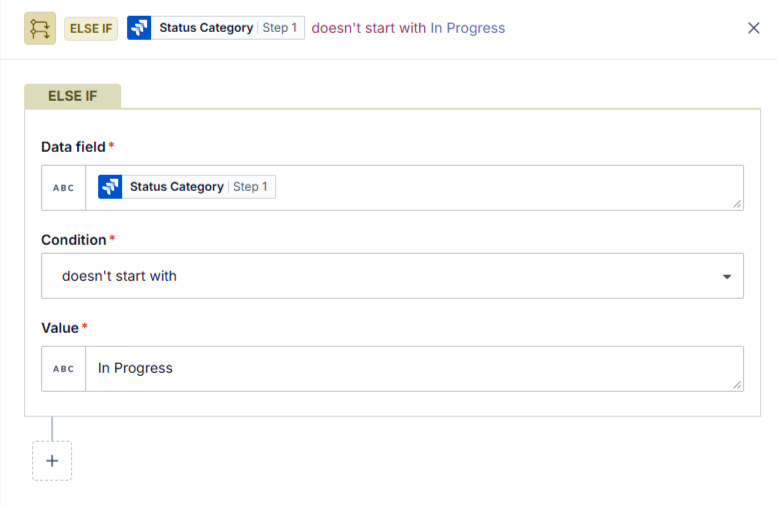
Figure: does not start with - In Progress
#### Compatible data types
This condition is applicable only to string data types.
**Examples**
| Data field | Condition/value | Picked up by recipe? |
| --- | --- | --- |
| `408) 555-6928` | `doesn't start with` "(408)" or "(669)" | No |
| `408 555-6928` | `doesn't start with` "(408)" or "(669)" | Yes |
| `(650) 555-2395` | `doesn't start with` "(408)" or "(669)" | Yes |
| "" | `doesn't start with` "(408)" or "(669)" | Yes |
| `nil` | `doesn't start with` "(408)" or "(669)" | No |
| `12345` | `doesn't start with` 123 | Trigger error thrown |
| `d>numeric_type_pill</kbd>` | `doesn't start with` 123 | Trigger error thrown |
| `<kbd>numeric_type_pill</kbd>` | `doesn't start with` 123 | No #if pill = 12345 |
| `<kbd>numeric_type_pill</kbd>` | `doesn't start with` 123 | Yes #if pill = 345 |
#### Special non-string data type cases
To prevent trigger errors, avoid comparing non-string data types using the "doesn't start with" condition. For instance, directly comparing two numeric values will result in an error.
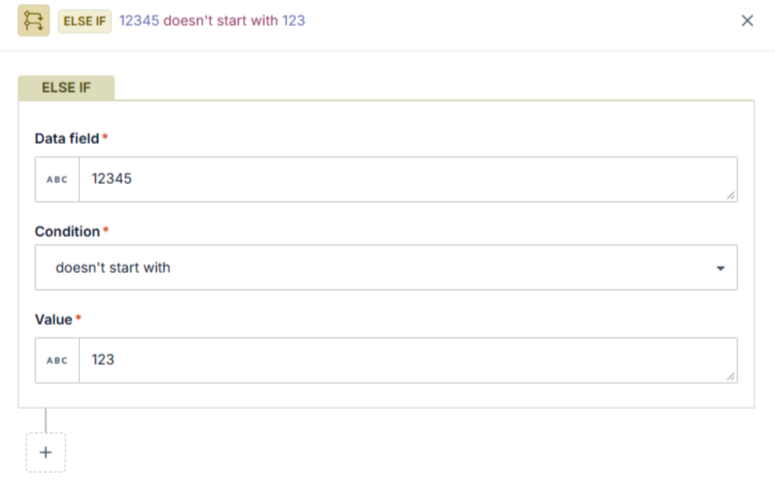
Figure: does not start with
#### Special non-string data type cases
If your trigger data is null (nil), Integration Hub will not capture the trigger event, even if it technically satisfies the condition. For example, a null value does not start with 345.
#### equals
The **equals** condition defines actions for scenarios where a data field exactly matches a specified value. It is essential for processes that rely on precise matches. This condition is the opposite of the **does not equal** condition and is case-sensitive. To ensure accurate comparisons, verify that both the data and the value use the same case (either lowercase or uppercase).
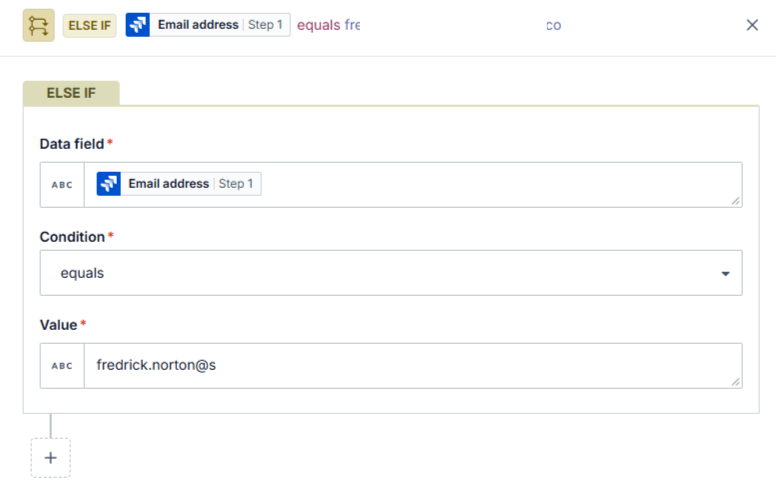
Figure: equals
#### Compatible data types
This condition is compatible with all data types, such as Integers and floats, dates, and arrays.
**Examples**
| Data field | Condition/value | Picked up by recipe? |
| --- | --- | --- |
| `Closed` | `equals` “Closed” | Yes |
| `Closed` | `equals` “Closed” | No |
| ‘‘‘‘ | `equals` “Closed” | No |
| ‘‘‘‘ | `equals null` | No |
| `null` | `equals nil` | Yes |
| `nil` | `equals` “Closed” | No |
| `12345` | `equals` 12345 | Yes |
| `12345` | `equals` “12345” | Yes |
| `6 - 1` | `equals` 5 | Yes |
| `Closed.present?` | `equals true` | Yes |
| `Closed".present?` | `equals` “true” | No |
| `Closed".present?` | `equals` 1 | No |
### [**#**](https://docs.workato.com/features/conditions.html#special-cases)**Special cases**
| Data field | Condition | Value |
| --- | --- | --- |
| `1234` | `equals to` | `1234` |
| `9.99` | `equals to` | `.99` |
Floats have limited precision. Comparisons with strings containing more than 15 digits may not be accurate. Use formula mode for precise comparisons in these situations.
| Data field | Condition | Value |
| --- | --- | --- |
| `12345678901234567` | `equals to` | `12345678901234567` |
| `1234567890123456` | `equals to` | `12345678901234567` |
String to numeric coercion also recognizes base-8 notation which converts `0123 `o `83`
| Data field | Condition | Value |
| --- | --- | --- |
| `83` | `equals to` | `0123` |
This logic also applies to **does not equal**, **greater than**, and **less than** operation
#### Does not equal
The **does not equal** condition is used to specify actions when a data field does not exactly match a given value. It plays a key role in detecting discrepancies or variations in data. As the inverse of the **equals** condition, it is case-sensitive. For accurate comparisons, ensure that both the data and the value are in the same case—either all lowercase or all uppercase.
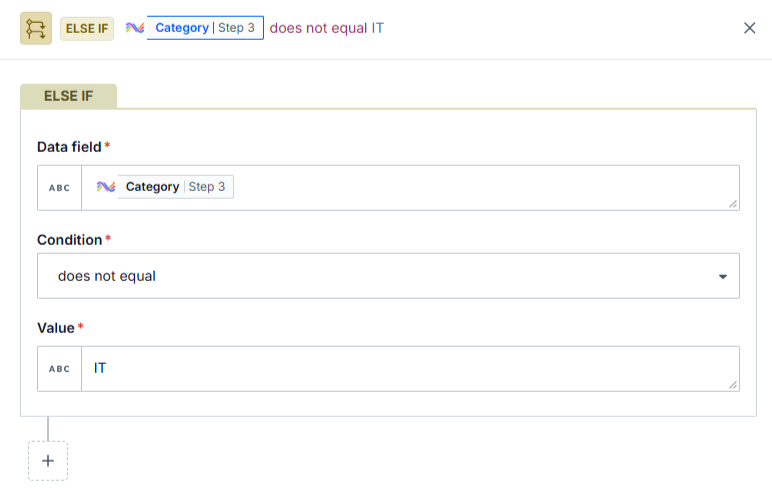
Figure: does not equal
#### Compatible data types
This condition is compatible with all data types, such as integers and floats, dates and arrays.
**Examples**
| Data field | Condition/value | Picked up by recipe? |
| --- | --- | --- |
| `closed` | `does not equal` “Closed” | No |
| `closed` | `does not equal` “closed” | Yes |
| ‘‘‘‘ | `does not equal` “Closed” | Yes |
| ‘‘‘‘ | `does not equalnull` | Yes |
| `null` | `does not equal nil` | No |
| `nil` | `does not equal` “Closed” | Yes |
| `12345` | `does not equal` 12345 | No |
| `12345` | `does not equal` “12345” | No |
| `6-1` | `does not equal` 5 | No |
| `closed.present?` | `does not equal true` | No |
| `closed.present?` | `does not equal` “true” | Yes |
| `closed.present?` 12345 | `does not equal` 1 | Yes |
#### greater than
The greater than condition enables you to define actions when the value of a data field is higher than a specified number or date. It is especially useful for prioritizing tasks or records based on numerical or date-based criteria. This condition is the opposite of the less than condition.
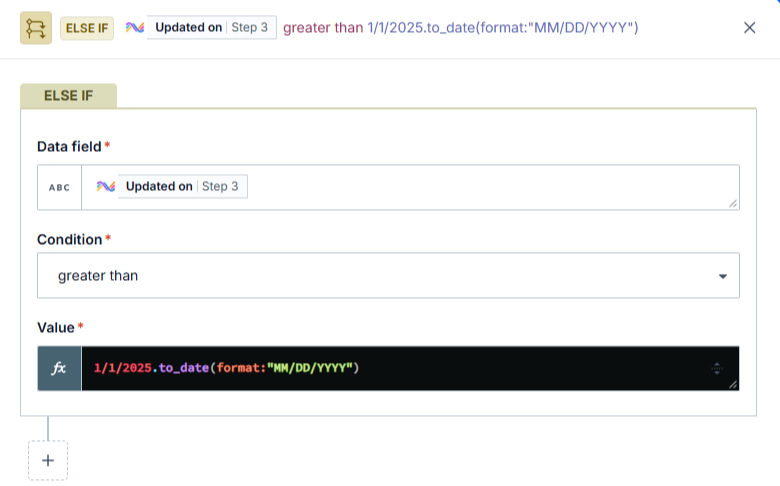
Figure: greater than
#### Compatible data types
This condition is compatible with **string**, **integer**, and **number** data types.
#### Examples
| Data field | Condition/value | Picked up by recipe? |
| --- | --- | --- |
| `2017-06-31T12:00:00252805-07:00` | `greater than` “2017-12-31T12:00:00.252805-07:00” | No |
| `2017-06-31T12:00:00252805-07:00` | `greater than` “2017-12-31T12:00:00.252805-07:00” | Yes |
| `2017-06-31` | `greater than` “2017-12-31” | No |
| `2017-06-31T` | `greater than` “2017-12-31” | Yes |
| `5` | `greater than` 10 | No |
| `5` | `greater than` 1 | Yes |
| `1.5` | `greater than` 10.5 | No |
| `1.5` | `greater than` 123 | Yes |
| `abc` | `greater than` “abcde” | No #ASCII value comparison |
| `abc` | `greater than` “a” | Yes #ASCII value comparison |
| `nil` | `greater than` “2017-01-31T22:00:00.252805-07:00” | Trigger error thrown |
| `2017-06-31` | `greater than` nil | Trigger error thrown |
| `nil` | `greater than` 10 | Trigger error thrown |
| `1.5` | `greater than`nil | Trigger error thrown |
| `abc` | `greater than nil` | Trigger error thrown |
#### less than
The **less than** condition defines actions when a data field's value is below a specified threshold, following an initial **IF** condition. It is crucial for scenarios that involve ranking or filtering based on lower numerical or date values. This condition is the opposite of the **greater than** condition.
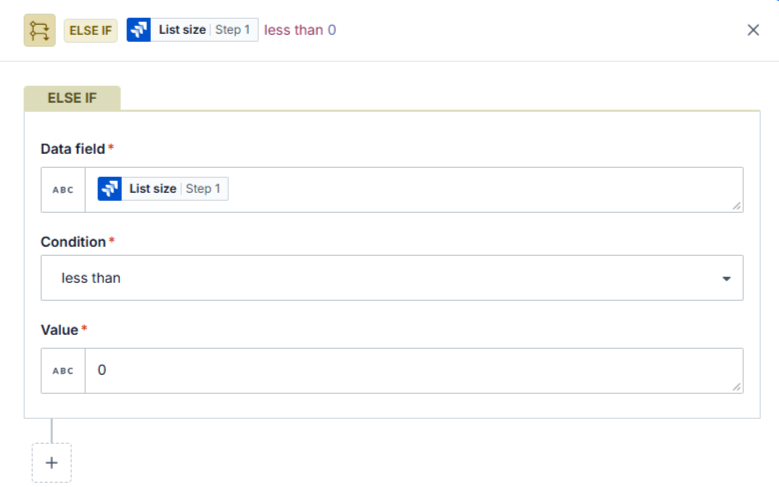
Figure: Less than
If the value is a number and the data field is **null**, the recipe generates an error because a number cannot be compared with **null**. To prevent this, use the **is present** condition alongside the **less than** condition.
#### Compatible data types
This condition supports **string**, **integer**, and **number** data types.
**Examples**
| Data field | Condition/value | Picked up by recipe? |
| --- | --- | --- |
| `2017-06-31T12:00:00252805-07:00` | `greater than` “2017-12-31T12:00:00.252805-07:00” | No |
| `2017-06-31T12:00:00252805-07:00` | `greater than` “2017-12-31T12:00:00.252805-07:00” | Yes |
| `2017-06-31` | `greater than` “2017-12-31” | No |
| `2017-06-31T` | `greater than` “2017-12-31” | Yes |
| `5` | `greater than` 10 | No |
| `5` | `greater than` 1 | Yes |
| `1.5` | `greater than` 10.5 | No |
| `1.5` | `greater than` 123 | Yes |
| `abc` | `greater than` “abcde” | No #ASCII value comparison |
| `abc` | `greater than` “a” | Yes #ASCII value comparison |
| `nil` | `greater than` “2017-01-31T22:00:00.252805-07:00” | Trigger error thrown |
| `2017-06-31` | `greater than` nil | Trigger error thrown |
| `nil` | `greater than` 10 | Trigger error thrown |
| `1.5` | `greater than`nil | Trigger error thrown |
| `abc` | `greater than nil` | Trigger error thrown |
#### is true
The **is true** condition defines actions for cases where a boolean data field is **true** or when a formula evaluates to **true**. It is essential for decision-making based on binary data or specific formula results. This condition is the opposite of the **is not true** condition.
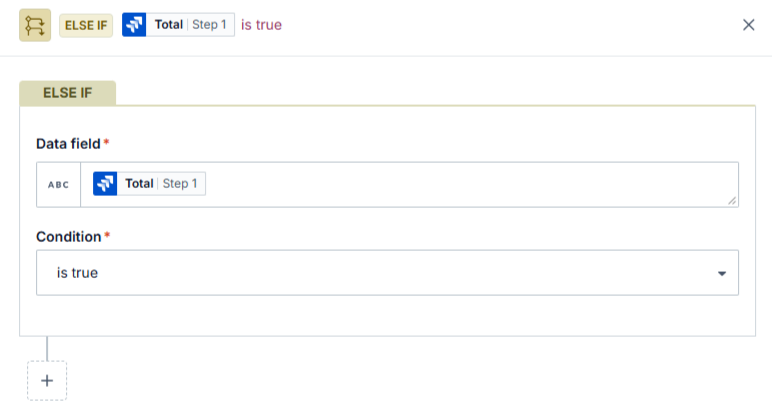
Figure: is true
You can also use the **is true** condition to evaluate formulas. For example, string-type data pills can be converted using string formulas into conditions that return a boolean value.
#### Compatible data types
This condition is only compatible with boolean data types. You can use this condition to check against a boolean datapill, or check against a formula that evaluates to `true` or `false`.
**Examples**
| Data field | Condition/value | Picked up by recipe? |
| --- | --- | --- |
| `<kbd>pill</kbd>.present?` | `is true` | No #if pill has a `nil` or `null` value or is an empty string "" |
| `<kbd>pill</kbd>.present?` | `is true` | Yes #if pill has a value |
| `Advanced Solutions".include?("Solutions")` | `is true` | Yes |
| `Advanced Solutions".include?("solutions")` | `is true` | No |
#### is not true
The **is not true** condition defines actions for cases where a boolean data field is **false** or when a formula evaluates to **false**. It is the opposite of the **is true** condition and is essential for workflows that rely on negative or false evaluations.
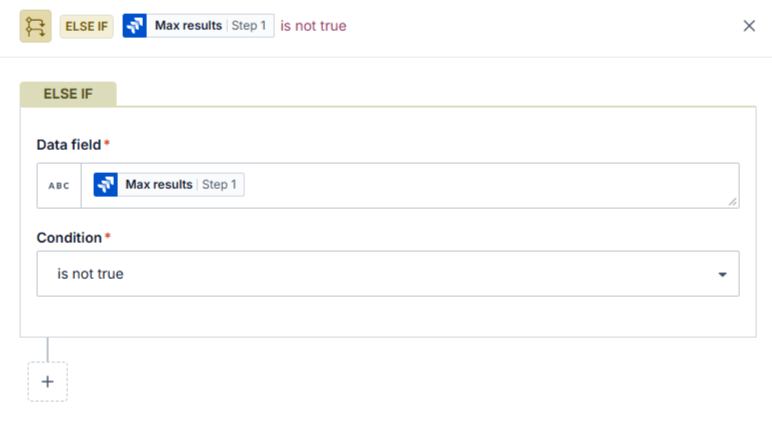
Figure: is not true
You can also use the **is not true** condition to check if a formula in the trigger data input field evaluates to **false**. For example, string-type data pills can be converted into boolean conditions using string formulas, enabling precise evaluations.
#### Compatible data types
This condition is compatible only with **boolean** data types. It can be used to evaluate a boolean data pill or a formula that resolves to `true` or `false`
**Examples**
| Data field | Condition/value | Picked up by recipe? |
| --- | --- | --- |
| `<kbd>pill</kbd>.present?` | `is not true` | No #if pill has a `nil` or `null` value or is an empty string "" |
| `<kbd>pill</kbd>.present?` | `is not true` | No #if pill has a value |
| `Advanced Solutions".include?("Solutions")` | `is not true` | No |
| `Advanced Solutions".include?("solutions")` | `is not true` | Yes |
#### is present
The **is present** condition allows you to define actions based on whether data exists in a specific field. It is essential for workflows that rely on the presence of data rather than its actual value. If the data field is **null** or an **empty string**, this condition will not be triggered. It is the opposite of the **is not present** condition.
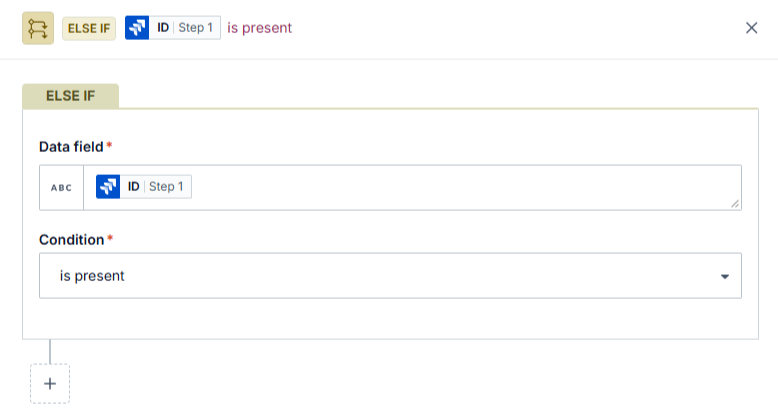
Figure: is present
#### Compatible data types
This condition is compatible with all data types, including integers, floats, dates, and arrays.
**Examples**
| Data field | Condition/value | Picked up by recipe? |
| --- | --- | --- |
| `Advanced Solutions` | `is present` | Yes |
| `12345` | `is present` | Yes |
| "" | `is present` | No |
| `nil` | `is present` | No |
#### is not present
The **is not present** condition is used to define actions when a data field is either **empty** or **null**. It is essential for workflows that require the absence of data to trigger certain actions. If the field contains any data, this condition will not be activated. It serves as the inverse of the **is present** condition.
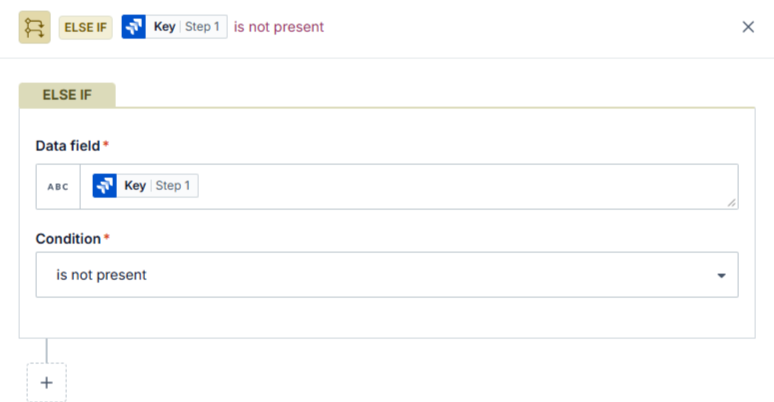
Figure: is not present
#### Compatible data types
This condition supports all data types, including integers, floats, dates, and arrays.
**Examples**
| Data field | Condition/value | Picked up by recipe? |
| --- | --- | --- |
| `Advanced Solutions` | `is not present` | No |
| `12345` | `is not present` | No |
| "" | `is not present` | Yes |
| `nil` | `is not present` | Yes |
---
### [**#**](https://docs.workato.com/features/conditions.html#compatible-data-types-11)
### [**#**](https://docs.workato.com/features/conditions.html#examples-11)
### [**#**](https://docs.workato.com/features/conditions.html#compatible-data-types-12)
### [**#Exam**](https://docs.workato.com/features/conditions.html#examples-12)
## Reference
 **Documentation**
[Conditions](https://docs.workato.com/en/features/conditions.html#where-conditions-can-be-used)