The AIW provides administrator with the ability to enable or disable the Live Agent Transfer (LAT) capability. This configuration allows organizations to control the availability of live agent support.
Administrators manage LAT configuration from the backend/Swagger configuration layer, specifically through the agent LLM configuration where you configure LAT-related settings.
Enabled LAT
When administrators enable LAT, end users can request and connect with a live agent through the AIW chat interface, subject to standard routing and availability rules.
Users request LAT by using prompts such as:
When the request is valid and LAT is available, AIW initiates the live agent transfer flow and route the request to the configured live agent/support queue.
When administrators enable LAT, end users can request and connect with a live agent through the AIW chat interface, subject to standard routing and availability rules.
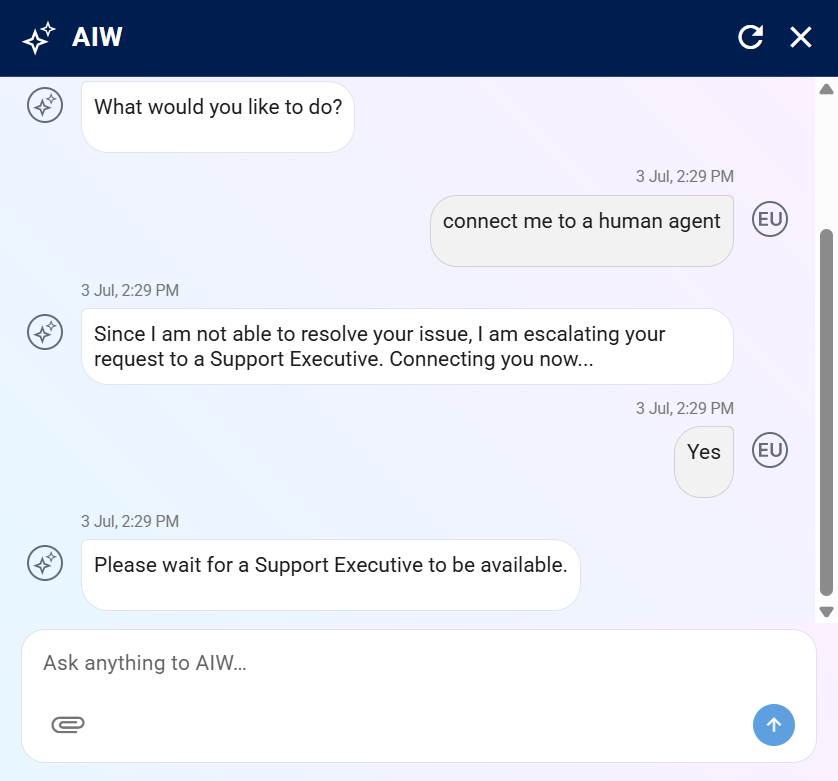
LAT Enabled
Disabled LAT
When you disable LAT, AIW doesn’t present any options, buttons, prompts, or recommendations that allow users to request a live agent transfer. If a user explicitly requests a live agent while the organization has disabled LAT, AIW displays a clear and informative message such as:
Live agent support is currently unavailable. Please continue with AIW for help or contact your support team for help.
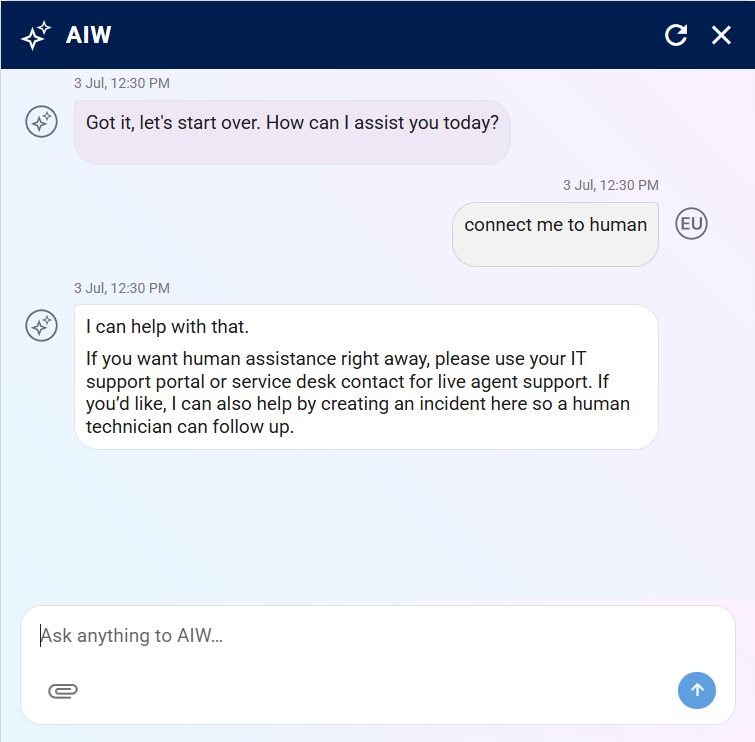
LAT Disabled
Note
AIW doesn’t create LAT requests when you disable the feature.