🎯 Now Live!Release Date | 7th August 2026
Let’s dive into the key highlights, exciting improvements introduced, and a few known issues to keep an eye on. Every update brings something new, with a focus on enhancing the experience!
The following section provides key highlights, improvements, fixed issues and known issues in AIW Aspen Q3 Release.
Key Highlights
Our team’s been on the move, polishing the UI and adding smarter functionality to power up your daily grind. Curious about What’s New? Dive in and explore the latest highlights - they are too good to miss!
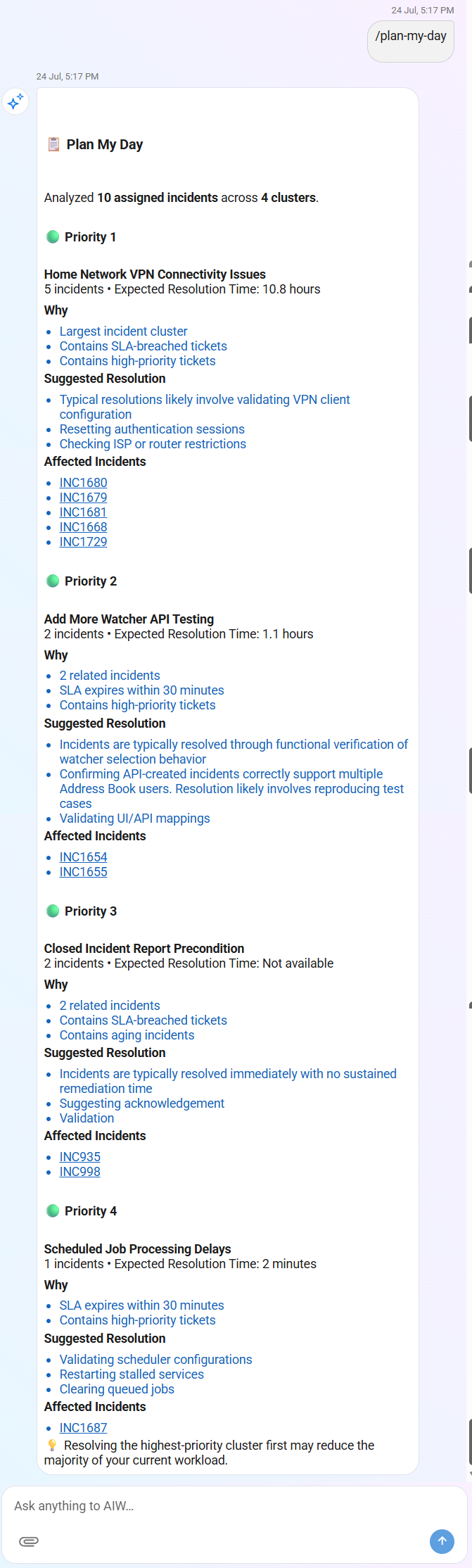
Smart Incident Intelligence
User Persona: Analyst
Ask Naturally. Command Instantly. Resolve Intelligently.
Your incident queue keeps growing—but where should you start? Let AIW do the heavy lifting. AIW automatically groups related incidents, and recommends historical solutions.
It helps Analysts to focus on resolving the underlying issue instead of investigating each ticket individually. Analysts can retrieve these AI-powered insights using natural language prompts or slash commands, enabling faster prioritization, quicker investigations, and improved incident resolution.
Slash Command Support
Access incident insights instantly with simple slash commands.
Smart Categorization
Automatically groups similar incidents into meaningful categories.Solution Recommendations
Recommends proven historical resolutions.Faster Investigation
Reduces analysis time with AI-powered insights.
For more information, refer to Smart Incident Intelligence.
Customer Admin - Trigger Ingestion Pipelines
User Persona: Administrator
Connect Knowledge. Refresh Content. Improve Answers.
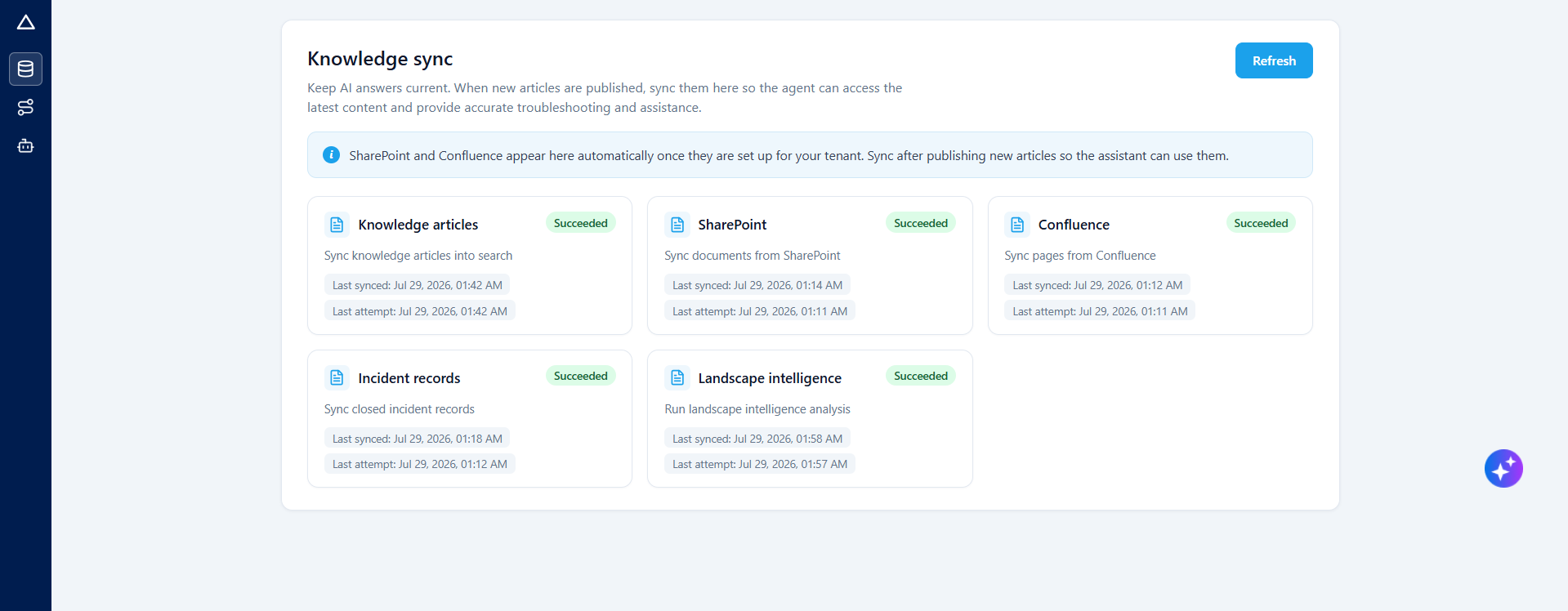
Keep AIW aligned with your latest enterprise information. From the Customer Admin interface, authorized administrators can run and monitor ingestion jobs that synchronize supported content sources with Vector DB or initiate downstream analysis. This helps AIW deliver relevant search results, informed responses, and actionable intelligence.
✅ Perks at a glance
On-Demand Job Triggers
Start supported ingestion pipeline jobs directly from the Customer Admin interface.
Real-Time Progress Tracking
Monitor each job through user-friendly stages, from initiation to completion or failure.
For more information, refer to Trigger Ingestion Pipelines from the UI Admin.
IT Admin Agent
User Persona: Administrator
Configure Faster. Track Progress. Go Live with Confidence.
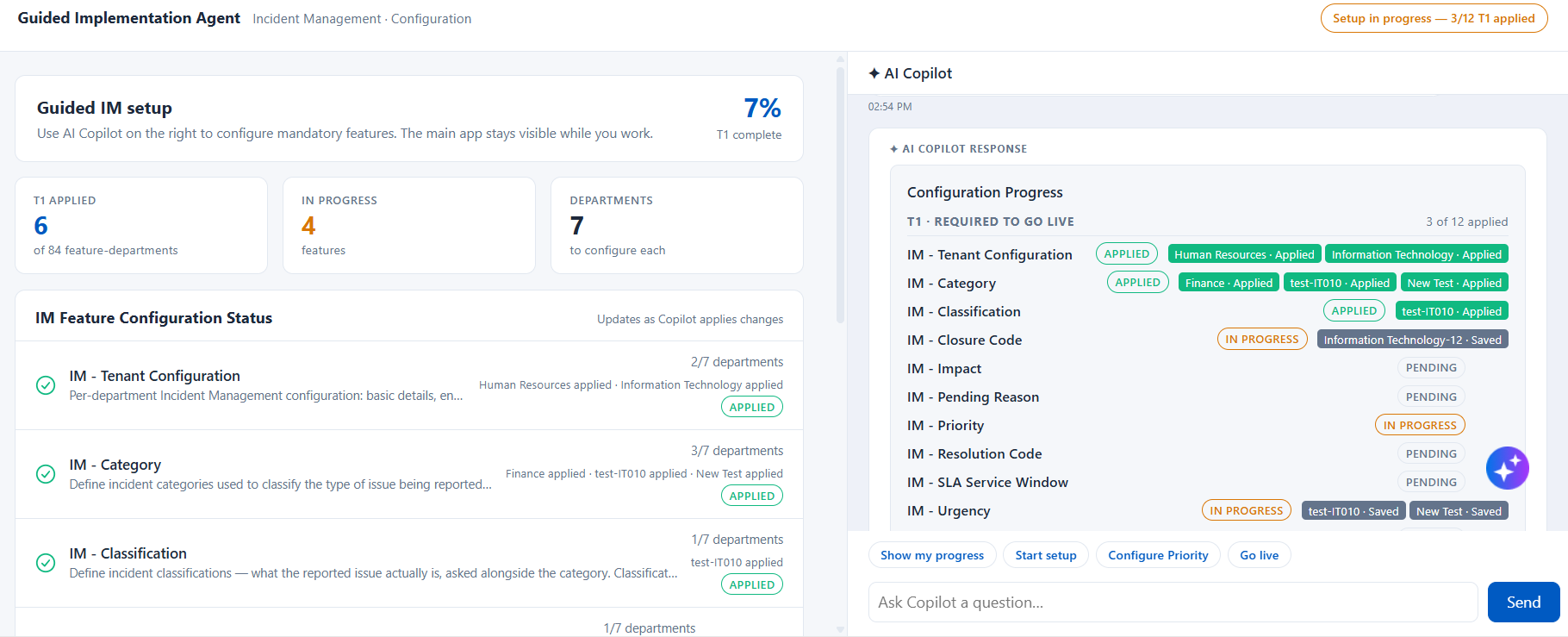
Simplify Incident Management onboarding with the IT Admin Agent, also known as the Guided Collection Agent. From a single guided experience, customer administrators can review setup readiness, configure mandatory features across departments, apply changes to Apex, and track progress toward go-live.
The IT Admin Agent combines an Incident Management configuration dashboard with AI Copilot guidance. Administrators can configure features through conversational prompts, pause and resume setup, monitor department-level progress, and quickly identify features that are pending, in progress, applied, or failed.
✅ Perks at a glance
Guided Incident Management Setup
Configure mandatory Incident Management features in a recommended sequence with step-by-step assistance from AI Copilot.
Centralized Progress Tracking
Review the status of configuration features across departments from the IM Feature Configuration Status board.
Note
IT Admin Agent is a Beta feature in Q3 release with 12 Fields available on the copilot configuration. For more information, refer IT Admin Agent.
The following section provides a sneak-peak of improvements introduced in AIW Aspen Q3 Release.
Improvement Name | Description | Benefits |
|---|---|---|
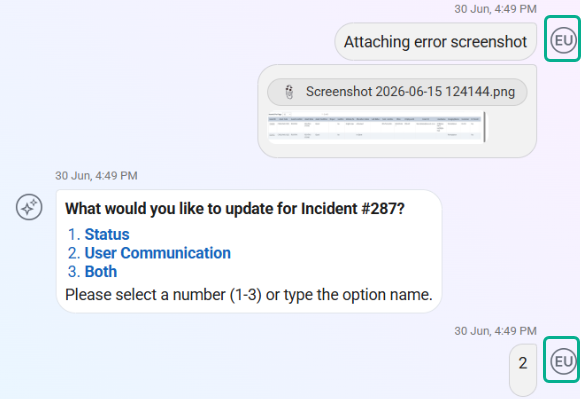
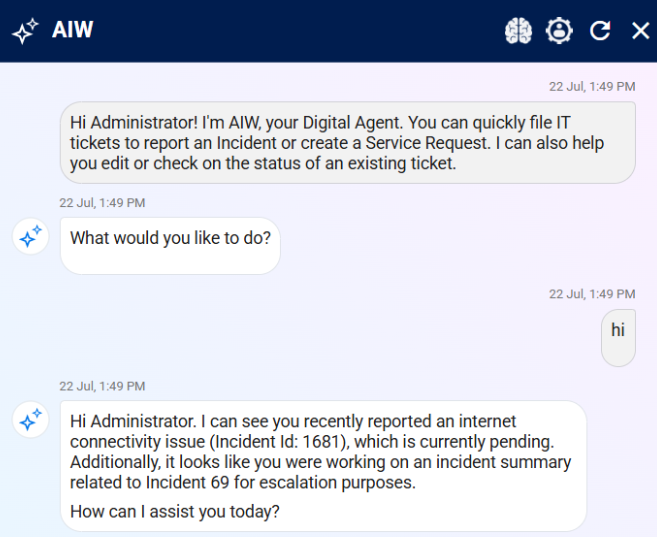
‘EU’ Badge Removal | Enhanced the AIW chat interface by removing the circular "EU" user badge from end-user messages for a cleaner and more streamlined conversation experience.
|
|
Department Access Enforcement | Department Access Enforcement validates user permissions and department assignments before allowing ticket creation, ensuring users can create incidents or service requests only for departments they are authorized to access. This improvement reflects on the below articles. For more information, refer to the following: Analyst: |
|
Fixed Issues
There are no fixed issues for this release.
Known Issues
There are no known issues for this release.